
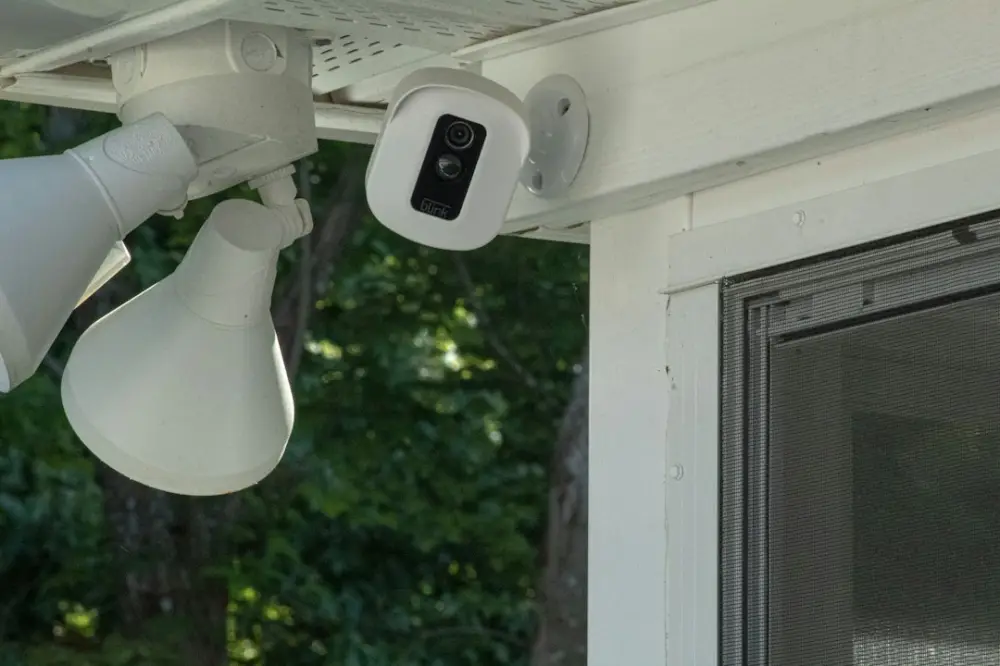
Outdoor security cameras are weather-resistant surveillance devices designed to monitor and record activity around a property's exterior. These systems act as a visual deterrent to intruders and provide homeowners with real-time alerts via smartphone integration. Key components include motion sensors, night vision capabilities, and various power options like battery-operated, solar, or hardwired connections.
Selecting the right hardware involves more than just picking a high-rated model from a shelf. It requires assessing your property’s specific blind spots and determining how much maintenance you are willing to perform. By focusing on reliability and ease of use, you can build a system that supports your daily awareness without becoming a constant technical burden.
What Are Outdoor Security Cameras and How Do They Work?
Outdoor security cameras function by capturing digital video footage when triggered by specific events, such as movement or heat changes. Most modern units in 2026 utilize Passive Infrared (PIR) sensors, which detect the heat signatures of humans or animals. This technology minimizes false alarms caused by moving tree branches or blowing debris. Once movement is detected, the camera wakes from its standby mode, begins recording, and sends a notification to a linked device.
The internal processing of these cameras has evolved significantly. In 2026, even entry-level models feature "edge computing," meaning the camera itself analyzes the video feed to distinguish between a person, a vehicle, or a stray neighborhood cat. This processing happens on the device rather than in the cloud, which speeds up alert times. For example, if a delivery driver approaches your porch, the camera identifies the human shape and the package, sending a specific "Package Delivered" alert to your phone within seconds.
Beyond simple recording, these devices often integrate into a larger smart home ecosystem. They can trigger outdoor floodlights to turn on or even play a pre-recorded voice message if someone lingers too long in a restricted zone. This creates a proactive layer of defense that works even when you are not actively monitoring the live feed.
Step 1: Choose Your Power Source and Connectivity
The first decision in selecting a camera is how it will receive power and transmit data. Battery-powered cameras offer the most flexibility in terms of placement. You can mount them on a distant fence post or high up in a tree without running cables. However, these require periodic recharging or battery swaps. To mitigate this, many homeowners now use small, integrated solar panels. A solar-powered camera mounted on a south-facing wall can often run indefinitely without manual intervention.
Hardwired cameras, typically using Power over Ethernet (PoE), are the gold standard for reliability. A single cable provides both the power and the internet connection, eliminating the risk of Wi-Fi interference. This is particularly useful for larger properties where the Wi-Fi signal might struggle to reach the perimeter. If you are already considering how your landscaping choices actually help keep your home secure, you might plan to run conduit under walkways for these wired connections during your next gardening project.
Connectivity is equally vital. Most 2026 models support Wi-Fi 6E or Wi-Fi 7, which provide more stable connections in crowded neighborhoods. If you choose a wireless model, ensure your router is positioned to reach the exterior walls. For areas with zero connectivity, some cameras use 5G cellular SIM cards, though these require a separate data plan. An example of this is a "trail cam" style security unit used to monitor the far edge of a rural property where cables are impractical.
Step 2: Prioritize High-Resolution Video and Night Vision
Resolution determines how much detail you can see when you zoom in on a recording. In 2026, 2K (4MP) resolution is the baseline for effective security, while 4K (8MP) is preferred for wide-open spaces like driveways. High resolution is what allows you to read a license plate or identify the facial features of a stranger. However, keep in mind that higher resolution requires more storage space and faster upload speeds.
Night vision is where many cameras fail to meet expectations. There are two primary types: infrared (black and white) and color night vision. Infrared night vision uses built-in LEDs to illuminate the area with light invisible to the human eye. This is discreet and energy-efficient. Color night vision, on the other hand, usually requires a small spotlight to stay on or uses extremely sensitive sensors (often called "starlight" sensors) to pull in ambient light from streetlamps or the moon.
When evaluating night vision, look for the "throw distance." A camera might claim to have night vision, but if the LEDs only reach 15 feet, it won't help you monitor a 40-foot backyard. A practical example is a camera with a 100-foot infrared range placed at the peak of a roof, providing a clear view of the entire lawn even in total darkness. High-quality sensors also handle "backlighting" well, such as when a car's headlights point directly at the lens, preventing the image from becoming a white blur.
Step 3: Evaluate Data Storage and Privacy Options
How your footage is stored affects both your monthly budget and your digital privacy. There are three main avenues: cloud storage, local storage, and hybrid systems. Cloud storage is convenient because it allows you to access footage from anywhere and keeps the data safe even if the camera itself is stolen. However, this almost always requires a recurring monthly subscription fee and raises questions about who has access to your video files.
Local storage involves saving footage directly to a microSD card inside the camera or to a Network Video Recorder (NVR) located inside your home. This is a one-time cost and keeps your data off the internet, which is a significant privacy advantage. The downside is that if a thief steals the camera or the NVR, the evidence goes with them. Many users in 2026 opt for a hybrid approach: local storage for 24/7 recording and a limited cloud backup for motion-triggered events.
Privacy features are no longer optional. Look for cameras that offer end-to-end encryption (E2EE), which ensures that only you can view the footage. Additionally, check for "privacy zones" in the software. This feature allows you to black out specific areas of the camera's field of view—such as a neighbor's window or a public sidewalk—to ensure you are only monitoring your own property. This level of understanding personal safety: practical tips for managing your environment helps maintain good relationships with those around you.
Step 4: Plan for Strategic Placement and Stealth
The effectiveness of a camera is largely determined by its placement. A common mistake is mounting cameras too high. While placing a camera 15 feet up protects it from being tampered with, it often results in footage that only shows the tops of people's heads. The ideal height is usually between 8 and 10 feet. This is high enough to be out of reach but low enough to capture clear facial details.
Consider the "choke points" of your property. These are the areas everyone must pass through to gain entry, such as the front porch, the back door, or a side gate. Directing a camera at these specific spots is more effective than trying to cover a massive, wide-angle view of the entire street. For example, a doorbell camera is excellent for capturing faces at eye level, while a floodlight camera over the garage provides a broader context of the driveway.
Stealth and visibility both have their place. A visible camera acts as a deterrent; many opportunistic thieves will move on to an easier target if they see they are being recorded. However, some homeowners prefer a more discreet look to maintain the home's aesthetic. You can use "skins" or covers to help cameras blend into the siding or tuck them under the eaves (soffits) of the roof. Placing a camera under an eave also provides the added benefit of protecting the lens from rain streaks and direct sun glare, which can trigger false motion alerts.
Step 5: Compare Top-Rated Camera Brands for 2026
As we move through 2026, the market is divided between ecosystem-heavy brands and independent hardware manufacturers. Brands like Google Nest and Amazon Ring offer seamless integration with smart displays and speakers. If you already use a specific voice assistant, staying within that ecosystem makes viewing your feeds on a kitchen hub much easier. These brands have significantly improved their AI detection this year, specifically in identifying known family members versus strangers.
On the other hand, brands like Reolink, Eufy, and Amcrest are favored by those who prefer local storage and no monthly fees. Eufy’s 2026 lineup, for instance, features expanded "HomeBase" units that act as a central hub for all cameras, providing massive local storage and AI processing without a subscription. Reolink has gained traction with its dual-lens cameras that provide a seamless 180-degree field of view, eliminating the fisheye distortion common in older wide-angle lenses.
For those needing professional-grade hardware, Lorex and Ubiquiti remain top contenders. These systems often utilize PoE and offer high-frame-rate recording, which is essential for capturing fast-moving objects like a car driving by. When comparing brands, look at the "IP rating" for weatherproofing. An IP67 rating means the camera is completely dust-tight and can survive being submerged in water, making it ideal for harsh climates with heavy rain or snow.
Common Questions About Selecting Outdoor Security Cameras
A frequent question is whether outdoor cameras record all the time or only when they see movement. Most battery-powered cameras only record when triggered to save energy. If you require 24/7 continuous recording, you will almost certainly need a hardwired PoE or plug-in AC-powered system. Continuous recording is helpful if you want to look back at an event that didn't happen right in front of the camera, such as a car being keyed just out of the motion sensor's range.
Another concern is what happens during a power or internet outage. In 2026, many high-quality cameras include a small internal battery backup or an on-board SD card slot. If the Wi-Fi goes down, the camera continues to record to the local card and then uploads that footage to the cloud once the connection is restored. This ensures there are no gaps in your security timeline during a storm or a deliberate attempt to cut the power.
Finally, consider the legalities of audio recording. While video recording on your own property is generally legal in most jurisdictions, recording audio can be subject to stricter wiretapping laws depending on where you live. Many cameras allow you to disable the microphone in the settings. Always point your cameras toward your own property and avoid capturing areas where neighbors have a reasonable expectation of privacy, such as their backyard or interior windows.
Building a reliable surveillance setup is a foundational part of modern home awareness. By selecting hardware that matches your technical comfort level and property layout, you create a safer environment for yourself and your family. For more practical guides on hardware selection and everyday safety habits, explore the resources at Temeroso.